Analysis comes first
A new episode must finish cloud analysis before automatic skipping is available. Analyzed episodes can retain their skip ranges for offline playback.
Available now on Android and iOS. Requires Android 9.0+ or iOS 15.1+. The app analyzes episodes and automatically skips detected ads, sponsor reads, intros, self-promotion, and credits during playback.
Follow the app setup guide or move your podcast subscriptions.
Detected segments include their type, time range, summary, and confidence. You can inspect them, jump into them, or change which types the player skips.
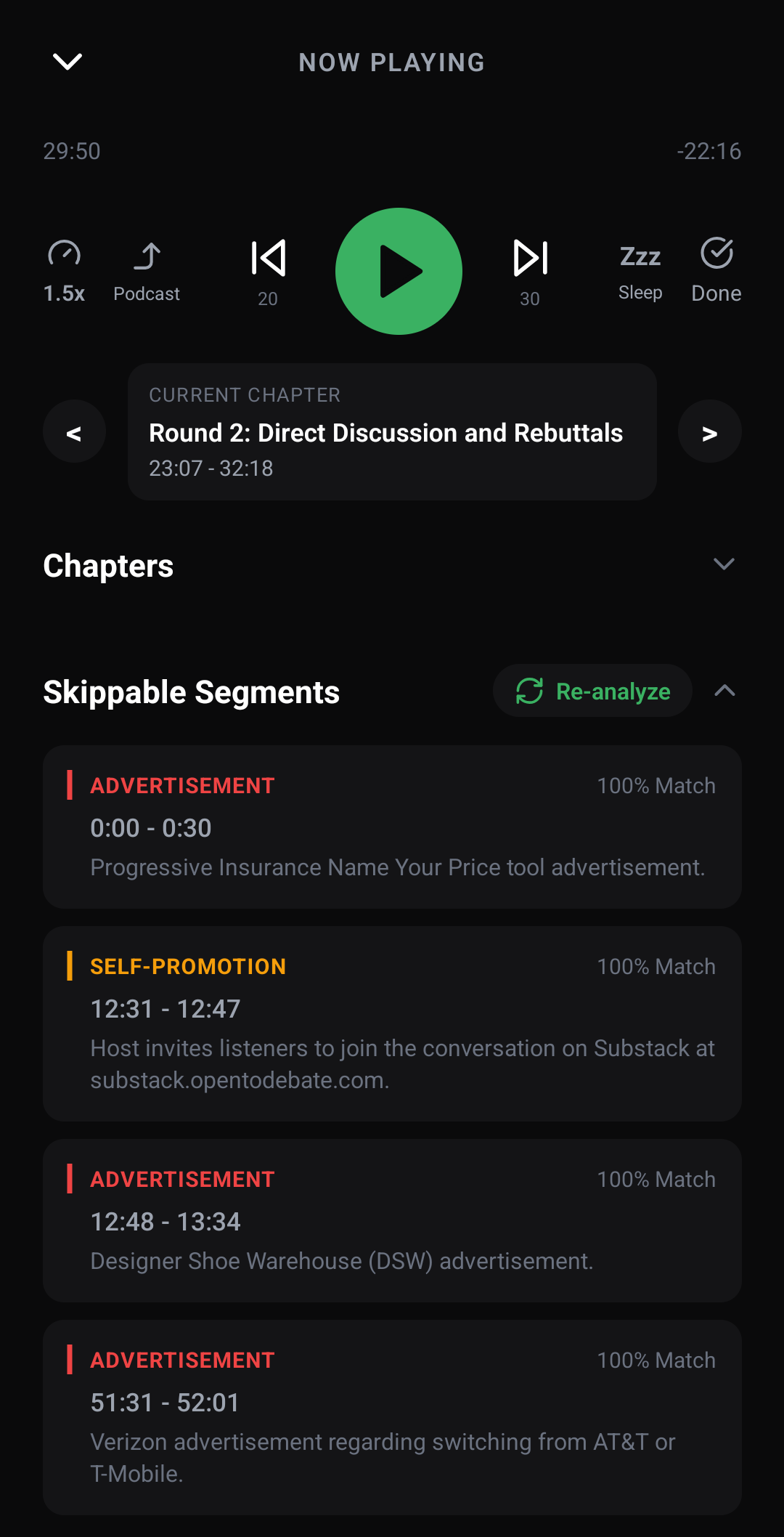
A new episode must finish cloud analysis before automatic skipping is available. Analyzed episodes can retain their skip ranges for offline playback.
The free tier includes a current analysis allowance. If it runs out, ordinary podcast playback keeps working. See current pricing and limits.
Detection is not perfect. Open Skippable Segments in the player to check the time ranges, play a detected section, or run Re-analyze. Use the show's gear menu for podcast-specific skip settings. Read the accuracy FAQ.
Episode audio is securely uploaded for transcription and analysis, then deleted after processing. The original publisher file is not modified or redistributed. Read the privacy policy and analysis FAQ before installing if you want the unabridged version.