1. Download normally
The episode is downloaded to your device, just like it is in any other podcast app.
Ordinary ad blockers cannot remove a dynamically-inserted advertisement embedded inside the same audio file as the show. STFUAI Podcasts downloads the podcast episode, analyzes it, identifies unwanted segments, and skips those ranges during playback.
The episode is downloaded to your device, just like it is in any other podcast app.
The episode is uploaded, transcribed, and checked for advertisements, self-promotion, intros, outros, and closing credits.
STFUAI Podcasts receives the detected time ranges and applies your skip settings on the device during playback.
STFUAI Podcasts analyzes the content so it can identify and block ads - including dynamically-inserted advertisements and other unwanted segments such as:
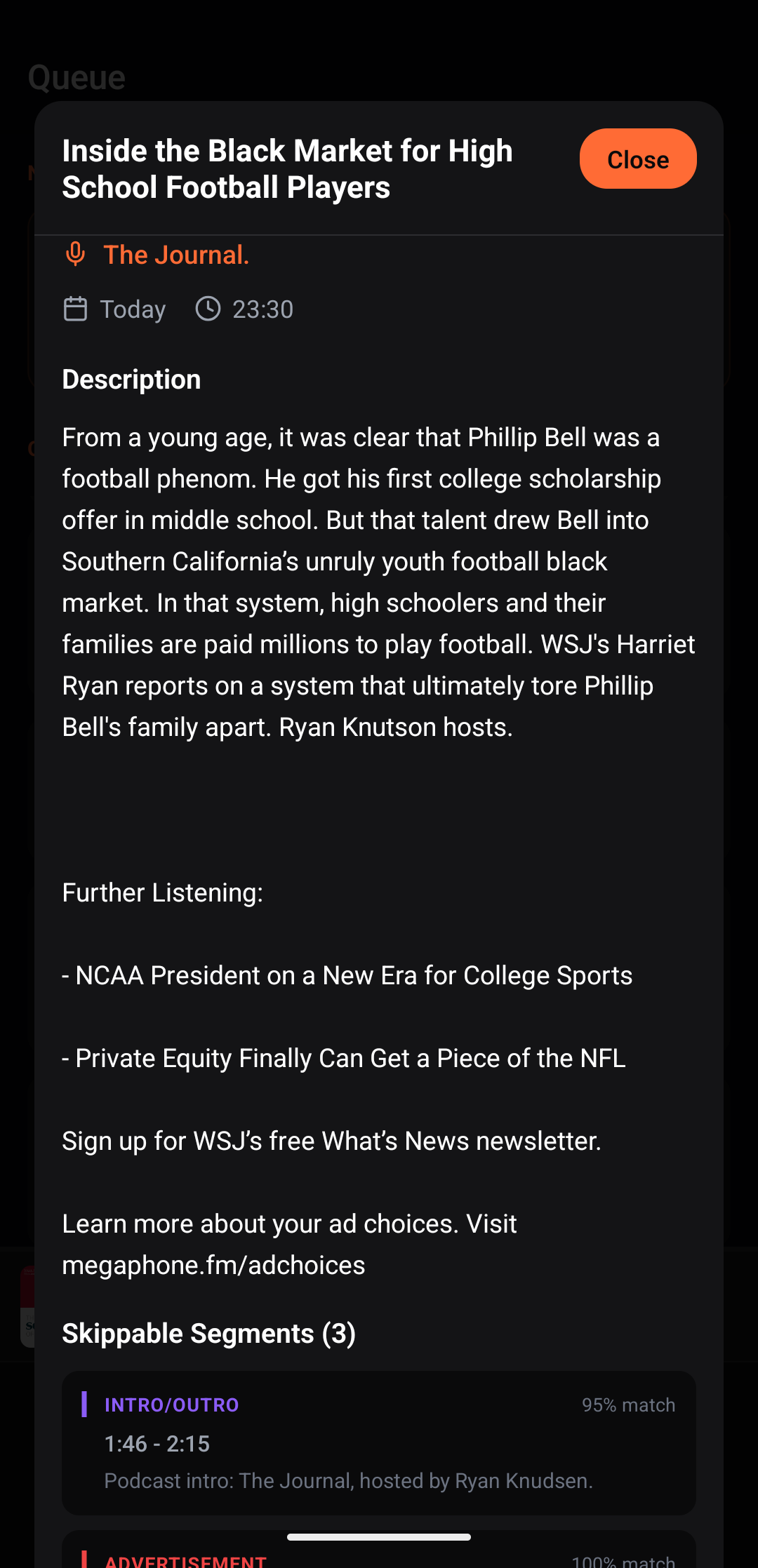
Detection can be wrong. Open Skippable Segments in the player to see each type, description, time range, and match score. Tap a card to play that section or use Re-analyze when the result is wrong or incomplete.
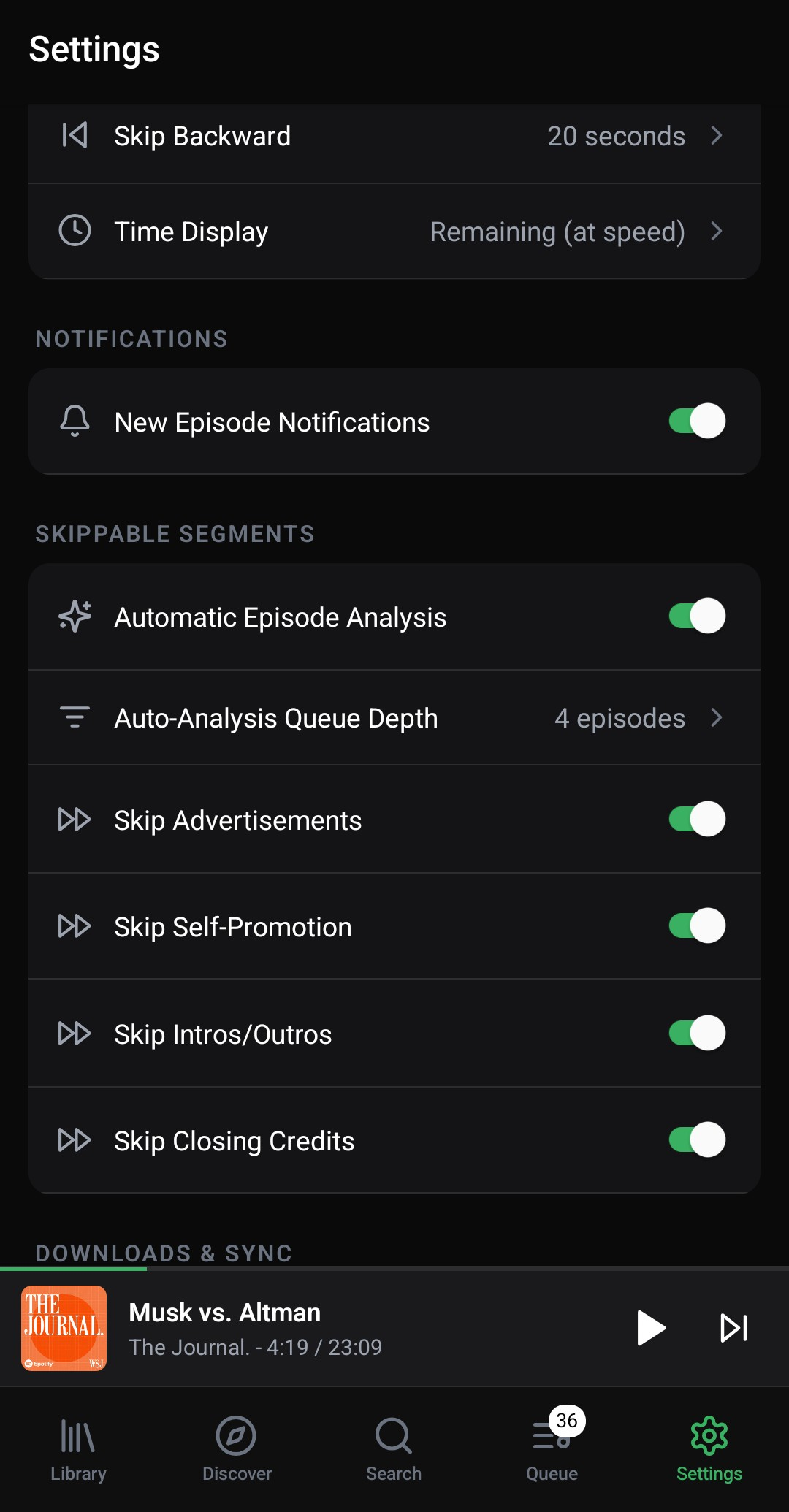
Global controls live under Settings > Skippable Segments. For one show, open it from Library, tap the gear beside Subscribed, then turn on Override skip settings.
STFUAI Podcasts does not publish an edited replacement episode, which would impact creators' download-based revenue. Instead, it downloads the publisher's file and moves the local playhead across detected ads, just like if you were to manually tap the fast-forward button. A short description of the detected content remains visible in the segment viewer.
Creator payment depends on the publisher and advertising agreement. A listening app cannot guarantee that every skipped advertisement earns money. STFUAI does not replace the feed or redistribute an edited copy of the audio.
Read the full creator-impact explanation.
New episodes require an internet connection for cloud analysis. Episode audio is deleted from the analysis servers after processing. Analyzed episodes can be played offline with their skip ranges. The free tier has a current allowance, and the player continues working normally if that allowance is exhausted.
Review the privacy policy, current pricing, and complete FAQ before installing.